
 Free beta
Cap+ Studio
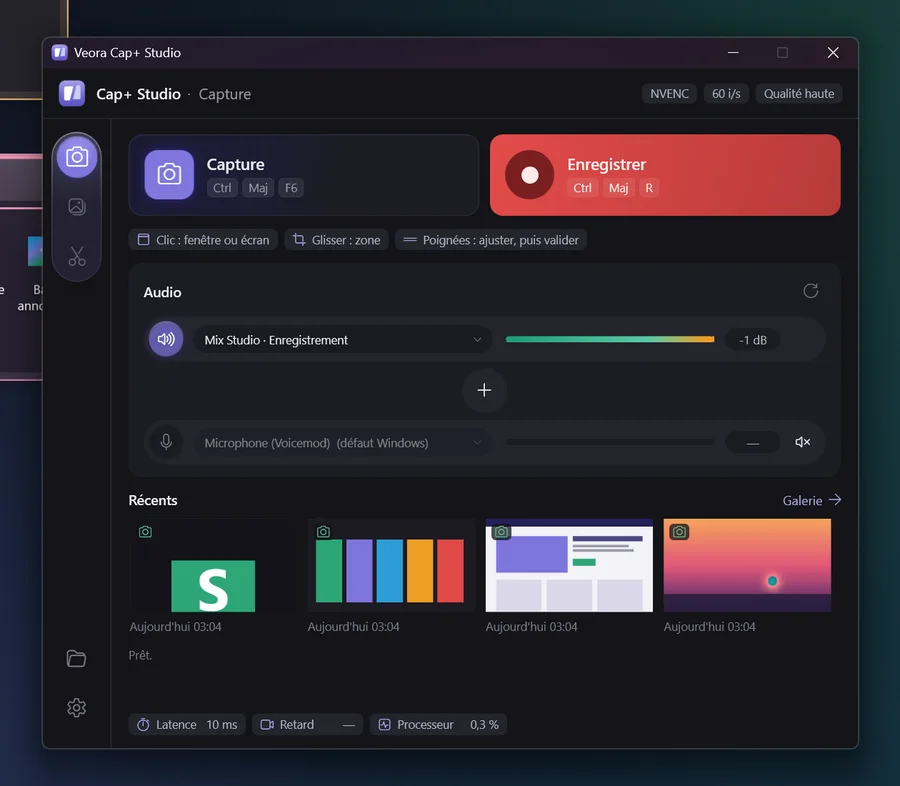
Screenshots, screen recording and quick video editing for Windows. Free for the whole beta, until the official release.
Nothing happening? Start the download again
- No account, no ads
- Updates itself
- Your captures stay on your PC
Installation
Install Cap+ Studio in 3 steps
It takes a minute. Windows may show a blue screen along the way: that's normal, here's how to get past it.
- Open the downloaded file
ValherrCapStudio-win-Setup.exe, in your Downloads folder.
- Click
More info
If Windows shows
Windows protected your PC
. - Click
Run anyway
Cap+ Studio installs and opens by itself.
Why this screen? Windows shows it for new apps that don't have a Microsoft signature yet. It will go away with the Microsoft Store version.
Windows protected your PC
Microsoft Defender SmartScreen prevented an unrecognized app from starting. Running this app might put your PC at risk.
Windows protected your PC
Microsoft Defender SmartScreen prevented an unrecognized app from starting. Running this app might put your PC at risk.
It's installed!Cap+ Studio opens. You'll also find it in the Start menu.
Illustration of the Windows screen: click it to see what comes next.
Launch discount
Hear about the release
Leave your email: we'll write to you on release day on the Microsoft Store, with the discount for testers. One message, no newsletter.
We'll write to you on release day. You can unsubscribe any time by replying to the message.
The range
The other Valherr apps


Questions
Before you download
Is it really free?
Yes. The beta is free, with no account and no card. Cap+ Studio will become a paid app when it comes out on the Microsoft Store.
What happens when the beta ends?
At the official release, the beta version stops: it shows an end message and no longer opens. Your captures and videos stay on your PC. If you left your email, you get the launch discount.
Are my captures sent anywhere?
No. Everything stays on your PC. The app only goes online to check for updates.
My antivirus blocks the file
Some antivirus tools are wary of new apps that aren't signed yet. The file comes from valherr.com: you can allow it in your antivirus, then run the installer again.
How do I uninstall Cap+ Studio?
Windows Settings → Apps → Installed apps → Cap+ Studio → Uninstall.
Found a bug, got an idea?
Write to us from the Contact section of the website, with a screenshot if you can: we read everything.